Wix to TikTok Shop: What to Prepare Before You Connect Your Store
Adding TikTok Shop to a Wix store looks like a ten-minute job on paper: connect two accounts, send products across, start selling. In practice, the sellers who have the smoothest launch are the ones who spent an afternoon on preparation first. TikTok Shop asks for things a regular website never did, such as a particular shipping method, a defined warehouse and product fields your Wix catalog may not have.
This post covers what to get ready before you connect, then walks through how the connection itself works.
Table of Contents
- Why preparation matters on TikTok Shop
- What to prepare before connecting
- How the connection works
- What to check after you connect
Why preparation matters on TikTok Shop
Wix stores are built around your own website. TikTok Shop is built around TikTok's requirements: its own account types, its own fulfillment options and its own product data. Some of the fields TikTok requires, such as category, package weight and shipping details, are not always stored in Wix. If you discover that after you have sent a hundred products across, you have a hundred drafts to fix.
What to prepare before connecting
According to the Wix TikTok Shop integration page, three things come first.
- A TikTok business account. Create it and build it out properly. This is the account you will authorize when you connect your shop.
- The Shipped by Seller shipping method. Choosing it means you ship orders yourself, from your own stock, which is also what allows you to handle TikTok orders from your Wix dashboard.
- Warehouse and delivery options. Set these up in TikTok Shop so your listings have somewhere to ship from and clear delivery terms.
Beyond that, it helps to check your catalog. Make sure each product has clear images, a price, a SKU and a description written for shoppers. Also note which products have no weight recorded, since TikTok may ask for it. The broader guide on how to integrate with TikTok Shop also recommends lining up payment methods and currencies between your store and TikTok Shop.
How the connection works
The flow below uses LitCommerce as an example of a sync tool.
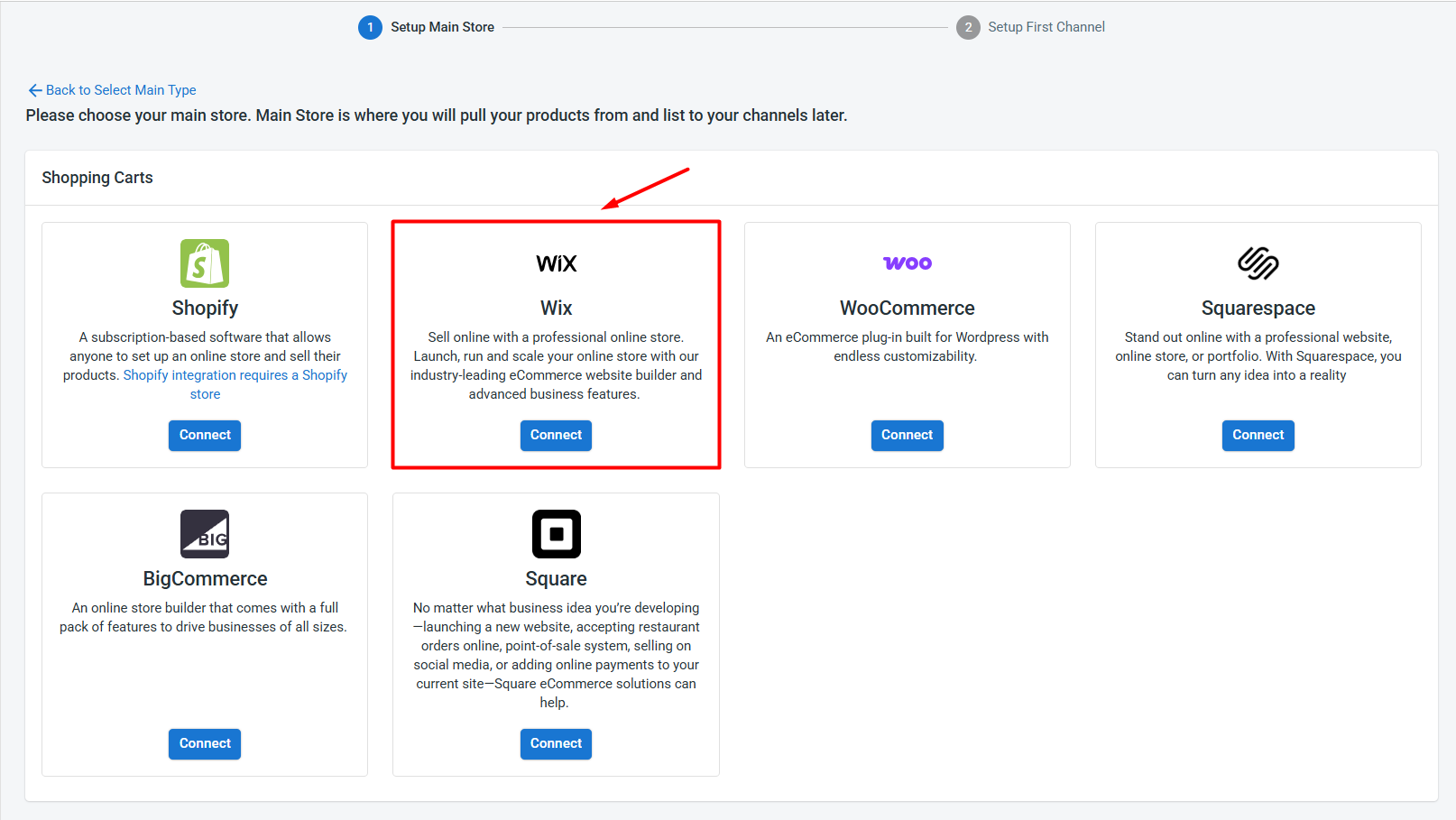
Step 1: connect Wix. Install the app from the Wix App Market, or add your Wix store from inside the app. Wix becomes your Main Store, which means it is the central hub for catalog, inventory and order data.
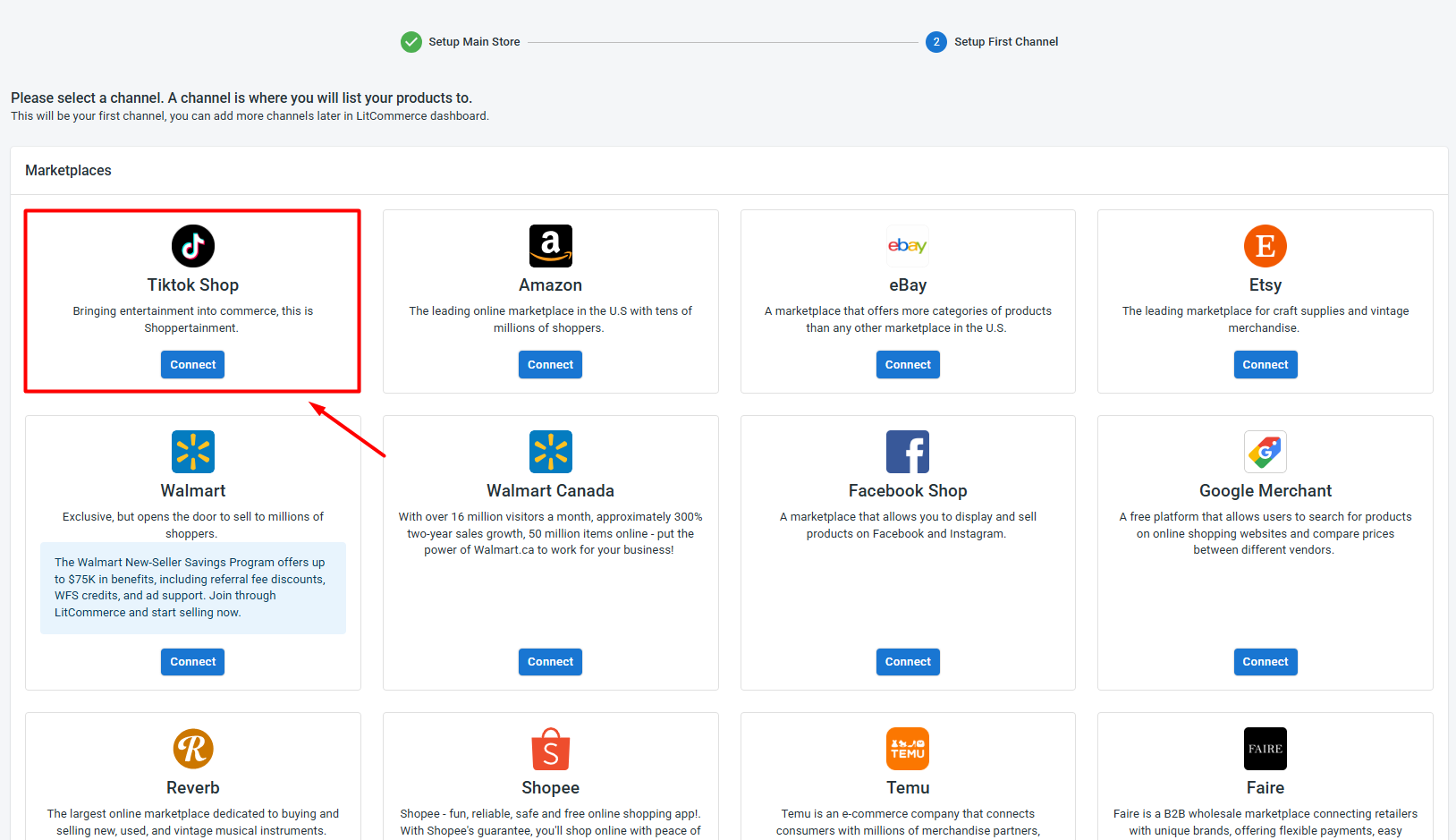
Step 2: connect TikTok Shop. Choose Connect, enter a store name, select the region and authorize access.
Step 3: get products across. There are three paths. You can list Wix products on TikTok Shop through Add to Channel Drafts, import products you already have on TikTok Shop and create them on Wix, or link products that exist on both. A blue dot shows a listing is linked and a red dot shows it is not.
Step 4: set sync and orders. In the channel settings you decide how price, inventory and orders behave, then switch on Import Orders to Main Store.
Questions sellers ask before connecting
Do I have to move my whole catalog? No. Start with a small group of products that are easy to ship and well photographed, and add more once the first batch behaves as expected.
Will my Wix content carry over? Titles and descriptions sync from Wix to TikTok Shop when you change them, so Wix remains the place to edit. Fields that TikTok requires and Wix does not hold, such as category and package weight, you will need to add yourself.
Do I publish automatically? No. Listings go to Draft first and have to be published manually, which gives you a final chance to check them.
What happens to my listing count? Listings count across all of your connected channels, not just the Main Store, so keep that in mind if you plan to add more channels later.
What to check after you connect
- Drafts are complete. Listings begin as drafts and have to be published manually.
- Links are in place. Any product that exists on both sides should show as linked.
- A test order works. Place or wait for one order and confirm it appears in your Wix dashboard.
- Stock moves. After a sale on either side, check that the quantity updates on the other.
Key Takeaway
Connecting Wix to TikTok Shop is quick. Preparing for it is where the time goes, and where most problems are avoided. Get your business account, shipping method and warehouse set up first, review your catalog for missing fields, then connect and start with a small batch.


Comments
Post a Comment