How to Connect Your Online Store to TikTok Shop: A Step-by-Step Multichannel Guide
How to Connect Your Online Store to TikTok Shop: A Step-by-Step Multichannel Guide
Expanding your brand onto TikTok Shop is one of the highest-leverage growth moves available today. However, managing listings and orders manually on TikTok Seller Center quickly turns into an administrative headache. In this tutorial, we will walk you through setting up an automated TikTok Shop integration to keep your product catalog and warehouse stock perfectly synchronized.
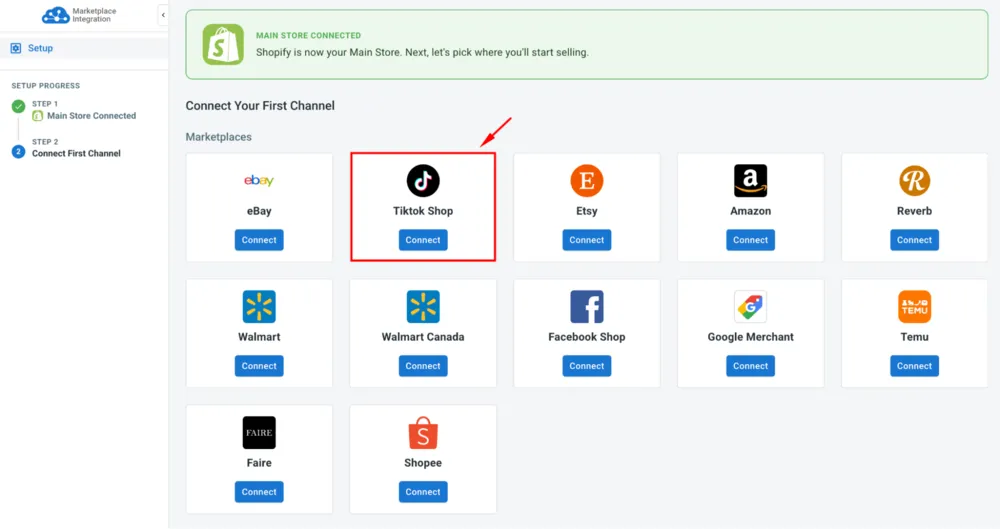
Table of Contents
- Step 1: Link Your Primary Store to LitCommerce
- Step 2: Connect TikTok Shop Seller Center
- Step 3: Map Warehouses and Import Product Listings
- Step 4: Activate Real-Time Price and Inventory Sync
Step 1: Link Your Primary Store to LitCommerce
First, connect your existing eCommerce platform (Shopify, WooCommerce, BigCommerce, or Wix). LitCommerce acts as the central hub, pulling all your active products, descriptions, variant attributes, and stock counts without modifying your live website.
Step 2: Connect TikTok Shop Seller Center
Navigate to your integrations dashboard, select TikTok Shop, and authorize the connection with your registered region (US, UK, or Southeast Asia). This creates a secure, certified API link that enables instantaneous order and catalog routing.
Step 3: Map Warehouses and Import Product Listings
TikTok Shop enforces strict shipping origin policies. Through the warehouse mapping feature, ensure your physical dispatch location matches your TikTok shipping profile settings to prevent fulfillment rejections.
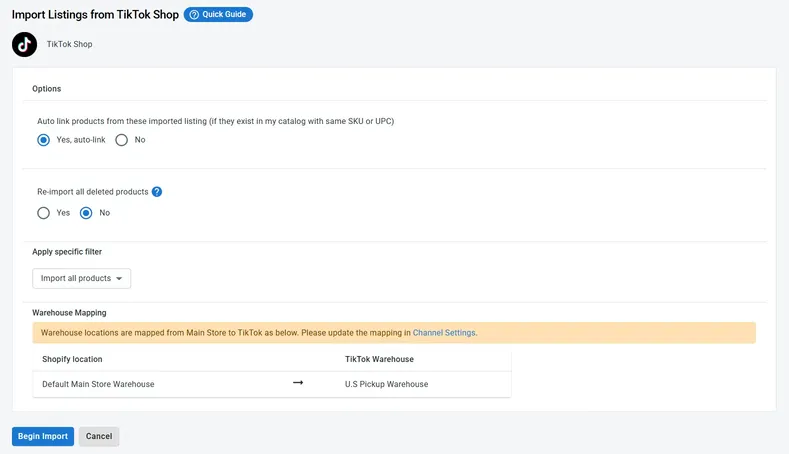
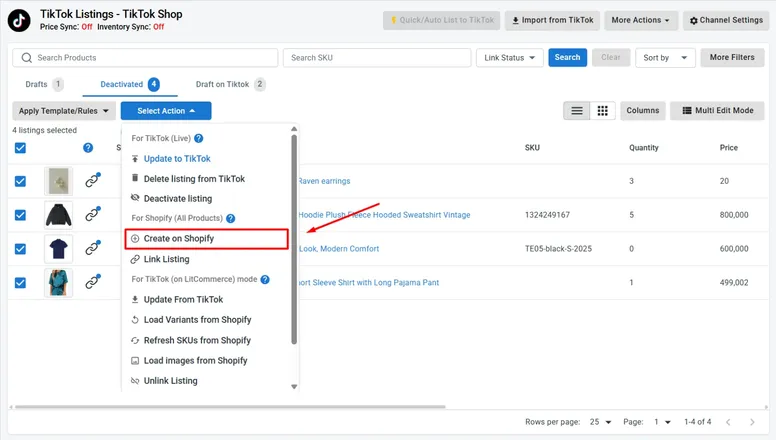
Once mapped, import your selected products into drafts. You can customize TikTok-specific titles, select mandatory attributes (like brand approvals or age restrictions), and publish items in bulk.
Step 4: Activate Real-Time Price and Inventory Sync
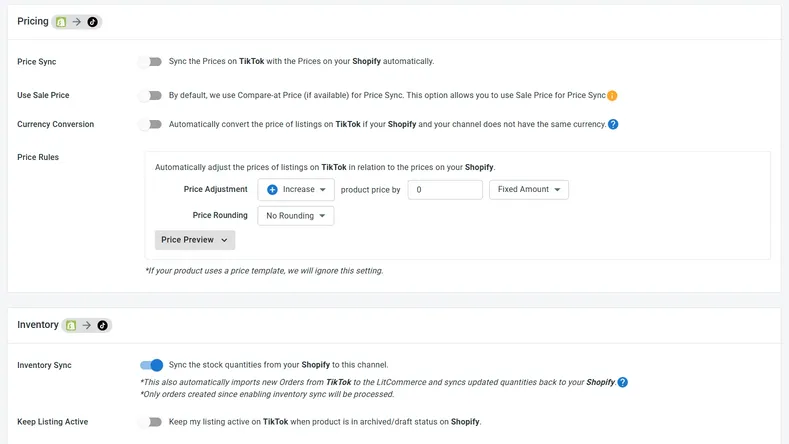
The final and most critical step is turning on automated synchronization. Set up custom price rules if you wish to run exclusive TikTok promotions, and enable inventory sync so that every sale on TikTok immediately reserves stock in your main inventory pool.
Key Takeaway
By connecting your store through dedicated multichannel software, you eliminate manual re-uploading and protect your business against costly stockouts. For deeper strategic advice on maximizing GMV, check out our comprehensive guide on selling on TikTok Shop.


Comments
Post a Comment